Ryder Xue
Back to selected work

Personal AI assistant · System design

Agentic Secretary
My personal AI team

I built a team of AI assistants to turn scattered emails, deadlines, and recruiting tasks into clear next steps. It helps me research, draft, and track work across my personal life, coursework, and job search.

Published on X

Inside the secretary fleet

I built an AI secretary fleet for coursework, recruiting, and everyday admin.

It still left a quiz out of a briefing because it had already mentioned it that morning.

Here's the setup, what broke, and the rule I changed.

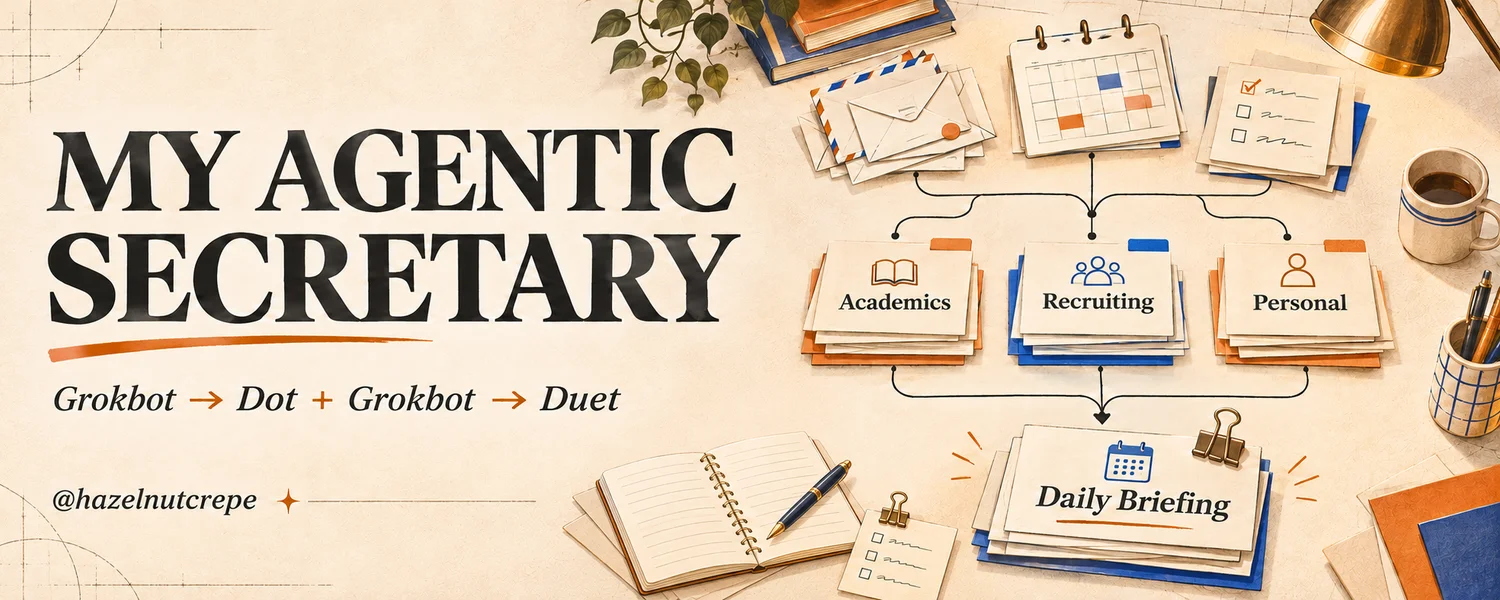
My Agentic Secretary: academics, recruiting, and personal tasks connected to a daily briefing.
I built an AI secretary fleet. Here's the setup.
Read the article on X

What it helps me do

Handle everyday admin

Research travel plans and prepare personal email drafts, so I have a starting point when it is time to make a decision or reply.

Trip research · Email drafts
Keep up with coursework

Bring course updates and upcoming deadlines into a briefing, so I can see what needs attention without piecing it together across different tools.

Course updates · Deadline tracking
Move my job search forward

Research internships, track applications and conversations, and suggest coffee-chat times around my calendar. Drafts and research come back for review; external actions require authorization.

Internship research · Applications · Follow-ups

How I set it up

The earlier fleet combined dedicated agent roles, connected tools, and shared records. Here are the main pieces of that setup.

  1. Give each agent a defined job

    Grokbot · Role prompts

    I gave each agent a prompt defining its job, tools, and reporting line. Academic Manager and Recruitment Manager coordinated specialists; Secretary assembled their updates into a briefing.

  2. Connect the tools I already use

    Gmail · Google Calendar · Canvas

    An Email Fetcher collected mail; TypeSafe Jev classified its domain and urgency for routing. Gmail held reply drafts, and Google Calendar supplied availability for coffee chats. The later fleet also read Canvas calendar deadlines for academic briefings.

  3. Keep task state outside the chats

    Google Sheets · Shared task ledger

    Academic and recruiting records lived in Google Sheets. Specialists wrote results to their assigned records and linked action items to a shared task ledger with an owner, deadline, and status, giving managers a common place to check progress.

  4. Automate the recurring checks

    Python · TypeSafe Jev · Cron

    The email_to_eventlog.py pipeline deduplicated messages by ID or content hash. digest_delta.py prepared the briefing’s update list, and failures_watchdog.py tracked failures. I configured intake and summaries to run ahead of the 8 a.m., 4 p.m., and 9 p.m. ET briefings.

  5. Define access and execution rules

    Scoped permissions · Verification

    Each role had defined tools and record access. Research and drafting could happen before approval; sends and application submissions needed authorization through the relevant manager. The role instructions required checking results before marking work complete and bringing unresolved questions back to me.

How the setup changed

v1

The Grokbot fleet

The Grokbot fleet handled personal, academic, and recruiting work. Secretary sent scheduled digests. Academic Manager and Recruitment Manager each coordinated specialist bots.

See the v1 reporting lines
Fleet and workflows
Grokbot fleet
  • Secretary
  • Academic Manager
  • Recruitment Manager
  • PersonalResearches fall break itineraries and drafts personal emails, such as messages to Robinhood support.
  • AcademicTracks coursework and deadlines and flags changes that need attention.
  • Recruiting
v2

ChatGPT Dot and the Grokbot fleet

Usage limits led me to move personal and academic workflows to ChatGPT Dot. Grokbot kept the recruiting branch under Recruitment Manager. Before the Claude Duet migration, Grokbot still handled academic mail, deadline checks, and briefings.

See the v2 reporting lines
Outreach
I increased outreach to 50 contacts per day during v2 and later paused cold outreach.
Gmail
The fleet saved suggested replies in my drafts.
Google Calendar
The fleet checked my availability and suggested times for coffee chats.
Internship applications
Specialists researched roles in Hong Kong, Canada, and the United States and could submit authorized applications automatically. They escalated open-ended questions and sensitive details they couldn’t verify.
Workflow split
ChatGPT Dot
  • PersonalResearches fall break itineraries and drafts personal emails, such as messages to Robinhood support.
  • AcademicTracks coursework and deadlines and flags changes that need attention.
Grokbot fleet
  • Recruitment Manager
  • Network Manager
  • Application Manager
  • Recruiting
  • Academic supportGrokbot still checked deadlines, routed school mail, and included academic updates in its briefings.
Now

Claude Duet (research preview)

I’m migrating to Claude Duet after the Grokbot fleet missed academic emails.

Migration in progress
v2 setup
  • Claude Duet

Fleet hierarchy

The v1 tree follows the original setup. The v2 tree combines my account of the ChatGPT Dot handoff with the later Grokbot roster and handoff notes. Select a manager to see what they and their direct specialists do.

Verification notes
  • The v1 setup documents reporting lines and intended academic, outreach, and application routines. Complete run history and daily send counts are unverified.
  • The later Academic and Applications rosters confirm group membership, and the Network roster confirms most of its specialists. Slack intake was removed by the Duet handoff. The reporting lines follow the setup document. In v2, Email Fetcher’s direct manager and Network Tracker’s reporting line remain unverified.
  • The handoff describes the document and profile services. Their status as separate bots is unverified. It names a Codex Worker without a documented reporting line.
  • My account supplies the Dot handoff and the v2 increase to 50 outreach contacts per day. Dot’s exact schedules and connections, and how many emails went out each day, are unverified.
v1 Grokbot fleet

Briefings and academic work

  • Secretary

    Combined academic deadlines and recruiting updates into ranked, scheduled briefings.

    • Email Fetcher
    • Canvas Fetcher
    • Grade Fetcher
    • Slack Fetcher

Recruiting fleet

      • Network Researcher
      • Outreacher
      • Network Tracker
      • Planner
      • Relationship Memory
      • Internship Researcher
      • Internship Applier
      • Internship Tracker
    • Document Knowledge Layer

Fleet support

  • Profile Service

    Maintained confirmed facts, preferences, and commitments used by the fleet.

  • Conductor

    An optional role in the original setup for configuring the fleet, maintaining prompts, and pausing or restarting routines.

v2 ChatGPT Dot and the Grokbot fleet

Personal and academic work

  • ChatGPT Dot

    Carried over itinerary research, personal email drafts, and coursework and deadline tracking.

    • Canvas Fetcher
    • Grade Fetcher

Recruiting fleet

      • Network Researcher
      • Outreacher
      • Network Tracker (reporting line unverified)
      • Planner
      • Relationship Memory
      • Internship Researcher
      • Internship Applier
      • Internship Tracker
    • Document Knowledge Layer

Shared Grokbot services

  • Secretary

    Continued sending scheduled briefings with academic deadlines, recruiting updates, and standing reminders.

  • Email Fetcher

    Still classified academic and recruiting mail. The afternoon check was paused before the Duet migration.

  • Profile Service

    Maintained confirmed facts, preferences, and commitments used by the fleet.

  • Conductor

    Maintained fleet configuration, prompts, and routines.